Overview
● Sobot Web-JS SDK aims to help the 3rd-party websites and applications to build a sound agent ecosystem and provide good agent application functions and a simple API. ● Attention should be paid to the priority of the valid params:Web-JS Code settings > Manage background settings,Take Reception Mode as an example: When the reception mode is set as bot first by the backend and agent first by the Web-JS code, the real practice will follow the configuration set in the code, and that set by the backend will not take effect.
● JS-SDK provides the following extensions
- Component Initialization
- Client Customization
- Unread Messages and Offline Messages
- Multiple Languages
- Product Card
- Order Card
- CRM Docking
- Reception Mode
- intelligent Routing Reception for VIP
- Multiple Invitation Methods
- Website Access Statistics
- Submission, Evaluation, and Attachment
- Access by Multiple Bots
- Common Function Configuration
Relevant Restrictions and Precautions
Desktop website docking
If the client browser is IE, it needs to be IE 10 and above. For parameters involving Chinese and special symbols in docking, it is recommended to use encodeURIComponent to translate them before passing the parameters.Deployment
● Acquire Access Code
Add the access code provided by Sobot backend to the body of the page to dock with Sobot JS-SDK. When the page is accessed by visitors, it will execute the code and load related JS resource files of Sobot.Sobot Console - Settings -Support Channel -<Select a Channel>- Deployment Settings - Method 2
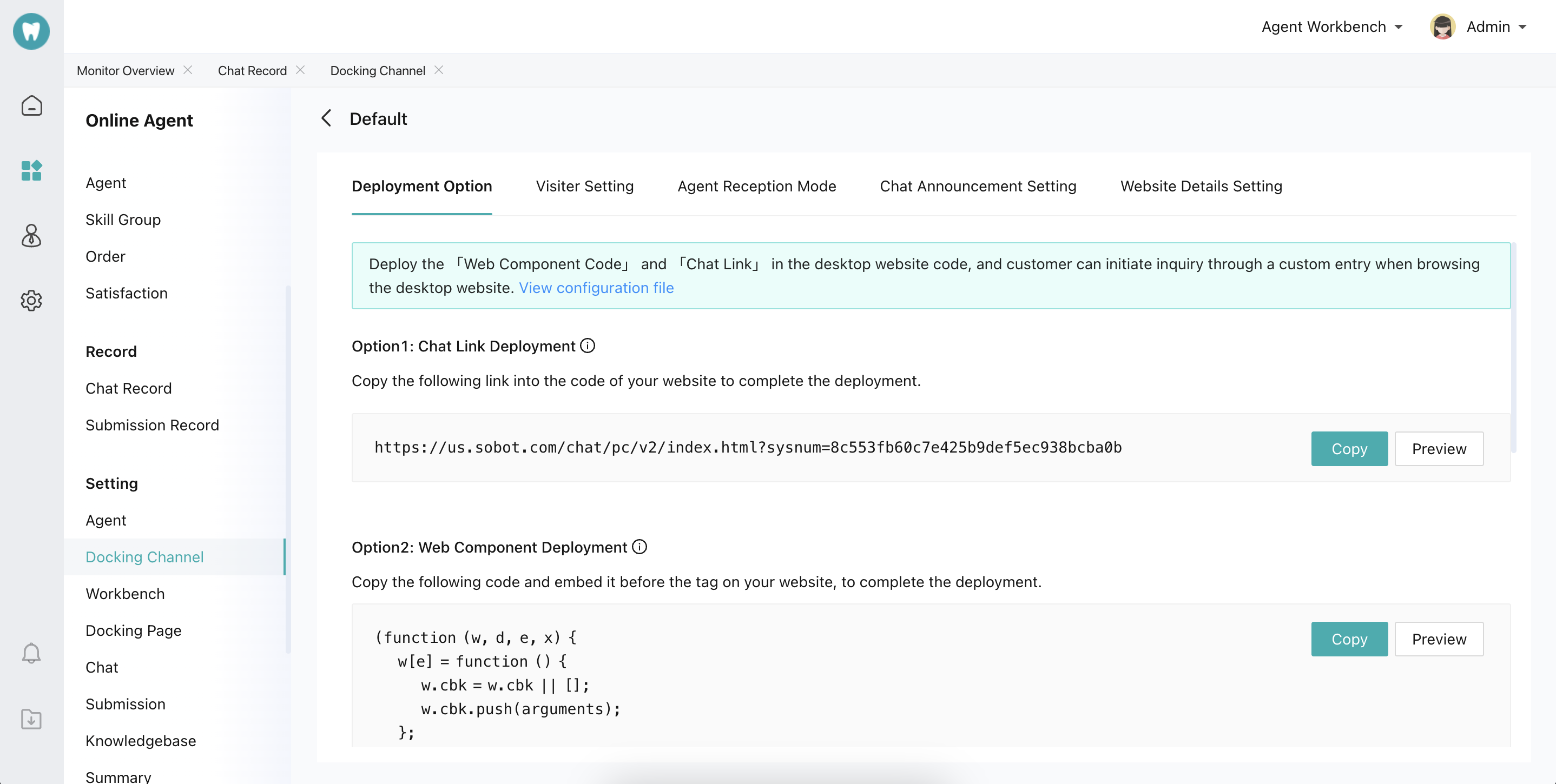
● Access Code Example
Agreement
● Add by Codes
Default Initialization
● Automatic
Directly put the component link generated at the Sobot backend before the</body> tag of your website, and the automatic initialization will be completed.
● Manual
Custom Initialization
● Custom Inquiry Entry
Sobot chat component will generate an inquiry button by default. To customize the button, users can set custom=true and add the class corresponding to the component to the custom button tag.● Create Dynamic Inquiry Entry
Since many page elements are dynamically generated when using custom buttons, custom events should be dynamically bound to make the custom inquiry entry effectiveMessage
● Get Unread Messages
Note: This event is only triggered when the user folds the chat window and the agent sends a message to the user. zhichiReceive can also be monitored, and its functions are the same with receive_message.● Get Offline Messages
Get the messages sent by the offline agent after the chat between the user and the agent ended. When the user left the page, the agent can send offline messages. When the user re-enters the page, offline messages unread by the user will be pushed through this event.Multilingual
● Multilingual Configuration
Card
● Product Card
With the web component, the product information to be displayed will be set on the user side (available for H5 only)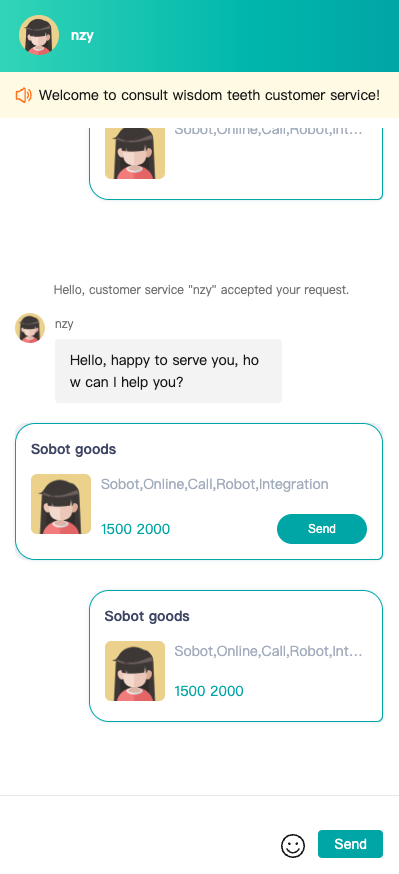
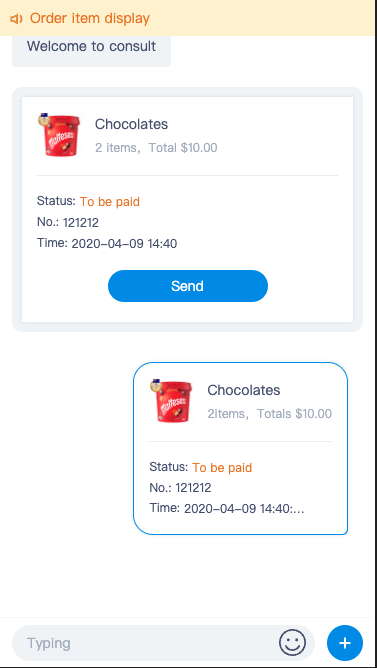
● Order Card
With the web component, the product information to be displayed will be set on the user side (available for H5 only)
goods Data Structure
- Component call:
- Link call:
CRM
● Basic Info Docking
Enterprise can configure enterprise customer information by calling the config API to associate chats in the agent system with customers in the enterprise CRM system.● Custom Field Docking
1.params
params is a custom field through which customers can pass in any attribute they want to display in the workbench, and it receives the value as a Json formatted string. It will be displayed in the custom fields at the bottom of the Customer Inquiry module in the agent workbench. The custom field can be retrieved by keyword query in the backend chat statistics and can be exported by exporting chat information.2.customer_fields
customer_fields is a custom field that differs from params in that it can only be used after being configured in the agent backend, and it also receives a string in Json format. It is displayed in the Customer Inquiry module of the agent workbenchReception Mode
intelligent Routing Reception for VIP
Param description:- actionType Execution action type:
- to_group Designated skill group;
- to_service Designated agent.
- deciId Designated skill group or agent id
- optionId Overflow tag
- 1: Overflow; when designating an agent
- 2: Non-overflow; when designating an agent
- 3: Overflow; when designating a skill group
- 4: Non-overflow; when designating a skill group
- spillId overflow conditions
- 1: Agent Offline; when designating an agent
- 2: Agent occupied; when designating an agent
- 3: Intelligent judgement; when designating an agent
- 4: No agent online in the skill group; when designating an agent group
- 5: All agents occupied in the skill group; when designating an agent group
- 6: The skill group off-duty; when designating an agent group
- 7: Intelligent judgement; when designating an agent group
VIP Users
Enterprises can tag the VIP users and their VIP level, and online intelligent routing will use the VIP level as a trigger condition to assign customers based on the passed VIP level field. Enterprises can set the VIP level by “Set Fields - VIP Level” in “Settings - Custom Fields - Customer Fields” in the admin backend. Enterprises can set the VIP level and edit the param name of VIP level by “Set Fields - VIP Level” in “Settings - Custom Fields - Customer Fields” in the admin backend. When passing customer VIP level, both its param name and its value can be passed in.Customer Tag
Enterprises can set different customer tags and assign customers based on the passed customer tag field. Enterprises can set the customer tag by “Set Fields - Customer Tag” in “Settings - Custom Fields - Customer Fields” in the admin backend. Enterprises can set the customer tag and edit the param name of customer tag by “Set Fields - Customer Tag” in “Settings - Custom Fields - Customer Fields” in the admin backend. When passing customer tag, both its param name and its value can be passed.Multiple Invitation Methods
With the invitation function, enterprises can directly increase the opportunity to communicate with users and enhance the possibility of obtaining marketing leads. It should be noted that this function usually needs to be used in conjunction with Reception Mode to enable visitors with different characteristics to accept invitations and be received by designated agent modes, designated bots, and designated agent groups. Set automatic invitation to visitors● Make Proactive Pop-ups to Invite Users
● Set Automatic Forced Pop-ups
Enterprises can enable automatic forced pop-ups on key pages. When users enter those pages, the chat window will be automatically unfolded and complete initialization.● Proactive Chat Invitation by Agent
Enterprises need to add this API or enable the “Proactive Chat Invitation” function in “Admin Backend - Settings - Support Channels - Desktop Site”, so agents can manually invite users browsing the site in the workbench. Enterprises can enable this function on some key pages according to their needs to avoid the work difficulty of agents caused by all website visitors entering the invitation list.Website Access Statistics
Admins can enable the function of displaying user browsing track on agent workbench in “Settings - Agent Workbench”● Enable Browsing Track Collection
By default, Sobot does not collect user browsing tracks, and enterprises can use this API to enable the function for specific user groups under specific pages. After calling the following method to enable user browsing track collection, when a user browses a webpage, Sobot will automatically collect information about the browsed website, including the current page and its source page (the previous page of the current page). It should be noted that Sobot will collect three types of user browsing behaviors: landing behavior (where users enter the site from), browsing behavior (which pages users view after entering the site), and inquiry initiation behavior (from which pages users initiate inquiries). Each time a user visits the site, Sobot will record these behaviors. If the user initiates an inquiry, these behaviors will be automatically associated with this inquiry chat. Sobot will gradually launch functions of browsing track data view, statistical analysis and raw data export, so that enterprises can make full use of user behavior data to evaluate, analyze and optimize the results of promotion strategies.● Customize Collection Content
Enterprises can customize the content of browsing track collection to ensure that the browsing tracks seen by agents can reflect key business information, such as product IDs, product categories, and product prices in e-commerce scenarios. If the browsing track params are not customized, the system will automatically collect the URL link and page title information of the accessed page.● Manually Send Browsing Tracks
In some cases, it may be necessary to send the user browsing tracks multiple times on a specific page. For example, when a user is browsing a product in a SPA and wants to scroll to the designated product position on the page, the event will be triggered, and the browsing tracks will be sent.Access by Multiple Bots
Common Function Configuration
● Submission, Attachment, and Evaluation
● Control the Time Range for Displaying Chat History
Through the API, the time range for displaying chat history can be controlled, and the chat history exceeding the time range will not be displayed to users. For example:● Jump to the Designated URL When Triggering Trans-to-Agent
This API supports setting users to jump to a designated URL when they click Trans-to-Agent, so that when a specific user initiates an inquiry from a specific entry of a specific website in bot first mode, the user can jump to a designated URL page when he or she clicks Trans-to-Agent. It is recommended to encode the URL and use https addresses.● Open the Inquiry Page in a New Window
JS-API supports setting whether the inquiry page is opened in a floating window or in a new window when a specific user clicks on the inquiry entry in a specific scenario.● Manual Control to Expand and Collapse the Chat Page
● Get the Callback After the Completion of Chat Page Loading
● Callback When Closing a Chat Page
When the chat page is closed, a postmessage request will be sent out, which can be monitored to get the status of the current chat page.● Whether to Reload Each Time the Chat Page Is Expanded
● Whether to Hide the Emoji Button after Trans-to-Agent Operation
● Whether to Automatically Jump to the URL in the Chat
PC and H5 control whether the links in the chat can be automatically jumped. Available by default● H5 Displays Avatar or Not
H5 supports displaying agent avatar and customer avatar. show_face 1: Display agent avatar. When show_face=1 and face param is configured, customer avatar will be displayedPC/H5 security verification
Sign encryption
- After enabling “Security Key - Sign Encryption” function, partnerid param must be passed in the desktop site or mobile site. When docking with the desktop site or mobile site, the param “sign” will be added in param passing, and sign=“MD5 (sysnum+key+partnerid)”;
- After the parameters are passed in, Sobot will decrypt the sign to verify if the passed partnerid is consistent with that in the sign. If so, the Sobot system will be accessed normally; if not, a prompt box of “The current user is verified as an illegal user and will not be allowed to access the Help Center” will pop up. If any customer doesn’t pass partnerid or sign, it will be deemed as an illegal user, and the prompt box of “The current user is verified as an illegal user and will not be allowed to access the Help Center” will pop up;
- “Security Key - Sign Encryption” ON/OFF. Valid range setting takes effect in real time;
Token encryption
- Enable “Security Key - Token Encryption” function;
- Call API https://***.sobot.com/api/page/token to obtain the token.
- When docking with the desktop site or mobile site, the token param must be passed in, and the system will verify the token. If passed, it will normally dock with the Sobot system; if not, a prompt box will pop up saying, “Sorry, your user verification has expired and you cannot access the Help Center. Contact the admin.”
- “Security Key - Token Encryption” ON/OFF. Valid range setting takes effect in real time;
- Note: Changes in the param for obtaining the token before and after the upgrade
Return param:
Timestamp conversion tool:
- Connection method docking
- js component docking
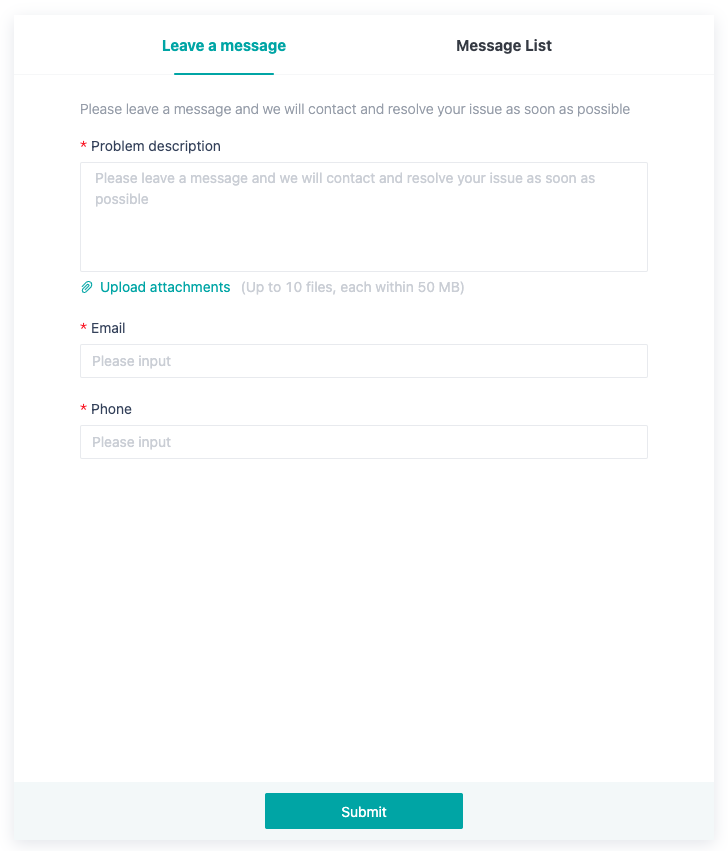
Independent Access to Submission Page
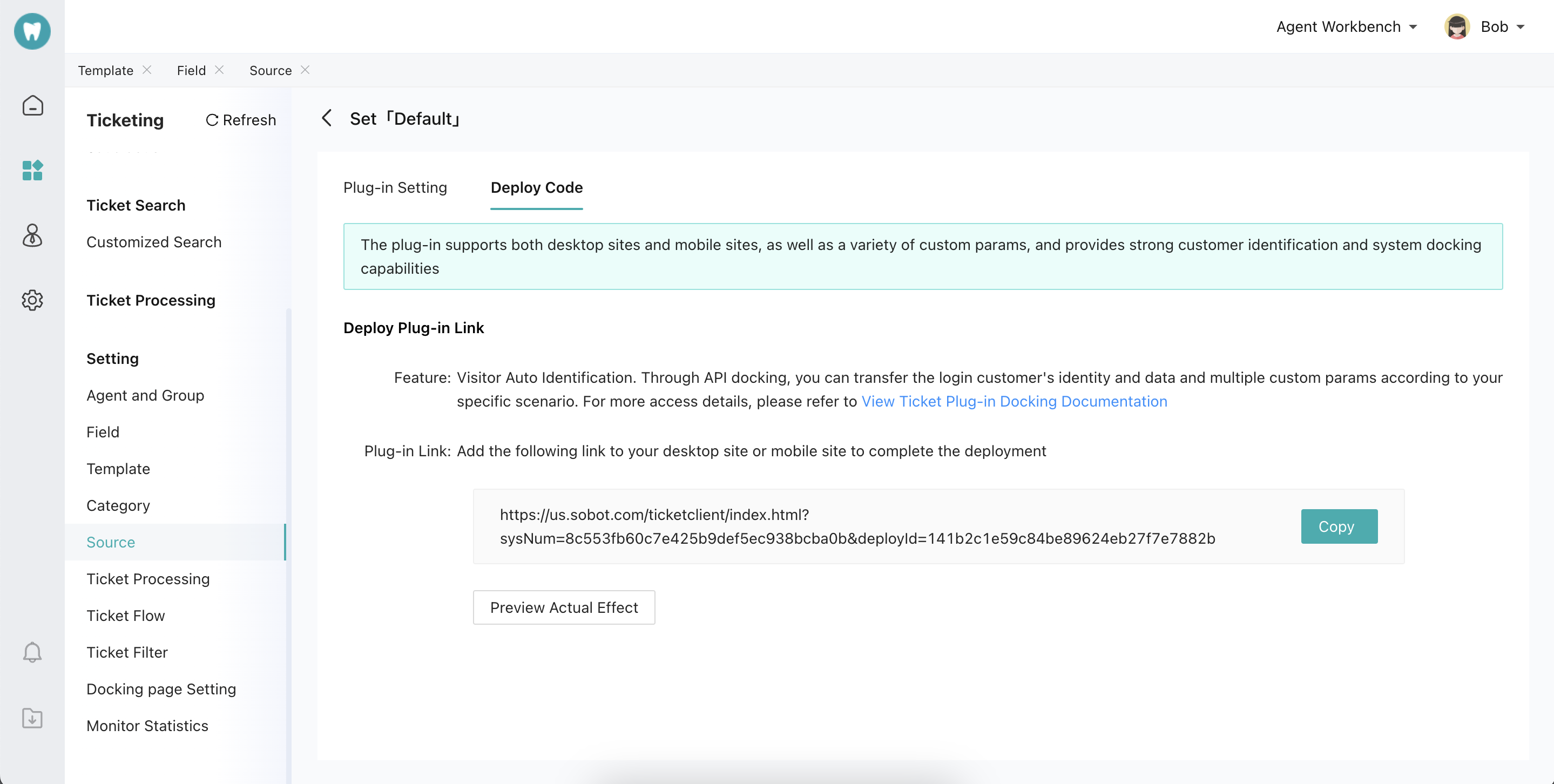
Official account docking, mini program docking, IM native docking and other docking methods support customers to make submissions after selecting a templateTicket Plug-in Access
● Add Custom Fields or Use Default Fields
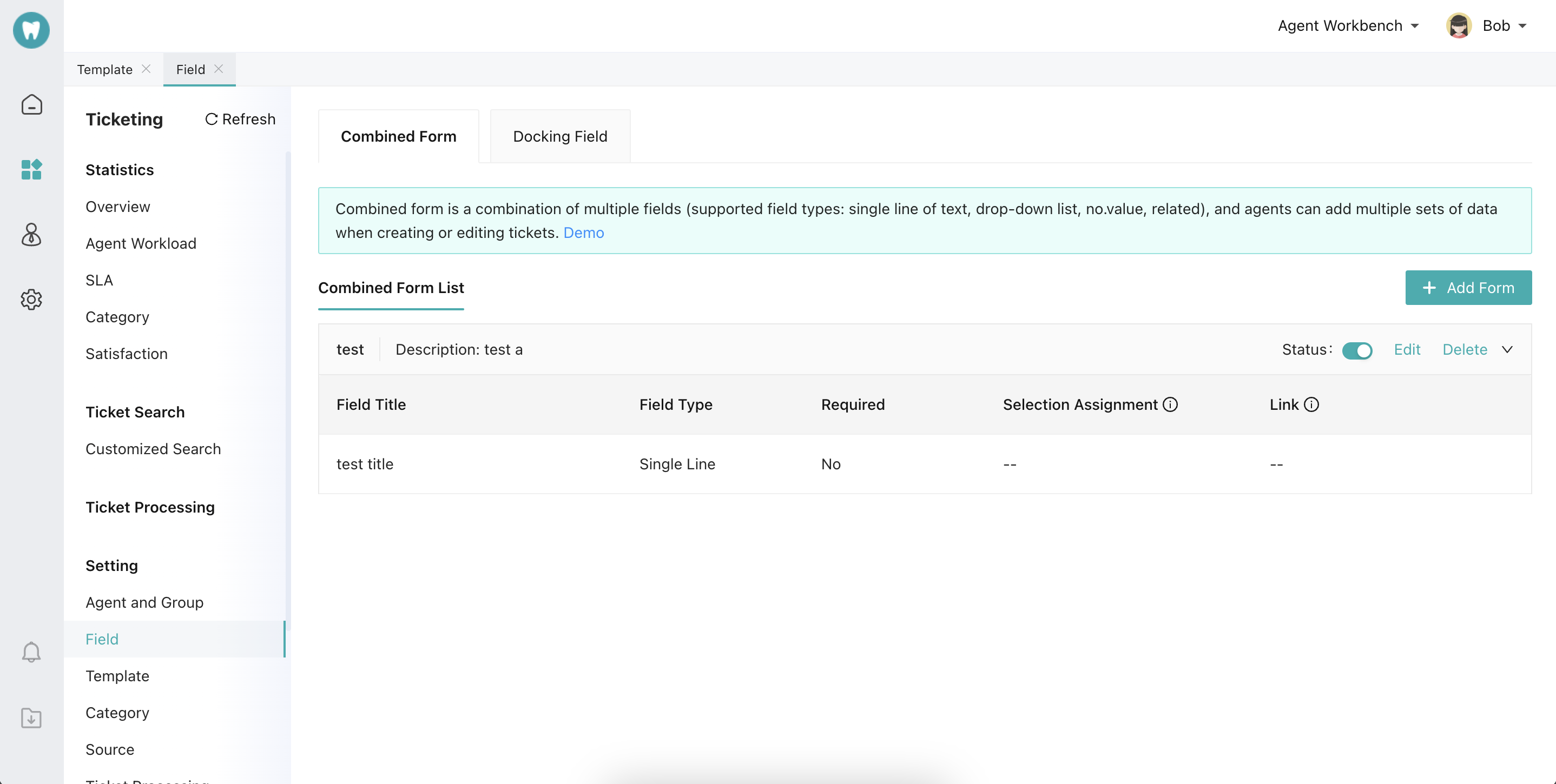
● Set the Corresponding Ticket Plug-in